
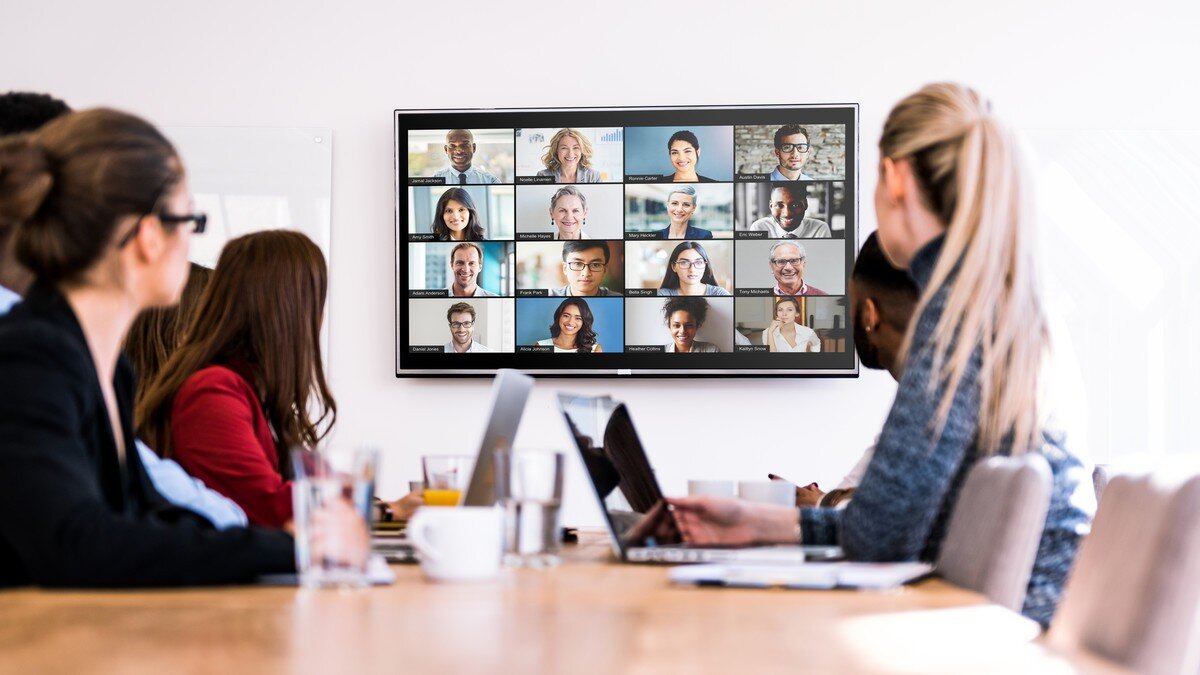
The Virtual Presenter
Connect, Engage and Influence from Anywhere
Virtual Presentation Training & Coaching
2020 changed everything. For the past 20 years, most of our training and coaching was done face-to-face. When COVID hit, suddenly, everyone had to sell, present and communicate remotely.
We quickly became experts in the craft of presenting, communicating and selling from afar. We leveraged remote learning best practices and made these courses shorter, faster and more engaging. Since then, we have trained and coached thousands of leaders, speakers and salespeople remotely.
Now, we deliver all of our programs in person, virtually or often a hybrid version of both. This allows clients maximum flexibility, lower travel costs and the ability to bring global teams together to learn and grow.
Virtual Events and Conferences
With many events being held virtually, we are right there, coaching speakers for product launches, investor meetings, fundraising pitches, press briefings, virtual conferences and keynote speeches. Our team helps clients create the event, from writing the script to setting up speakers’ studios and most of all, helping presenters come across as natural and engaging on any platform.
WATCH HOW WE CAN BE YOUR NEW SECRET WEAPON.
Our customized virtual presentation training and coaching programs help your company, your team and your executives present, communicate and sell like superstars.
Frequently Asked Questions
-
Each participant should have a reliable computer, high‑speed internet, a webcam (external is preferred) and a microphone (external is preferred). We’ll provide best practices for lighting, background, framing and camera positioning. Many companies will pay for external cameras and mics upon request.
-
Zoom is the best virtual training platform, so that’s what we prefer. That said, it’s also possible to use Google Meet or Microsoft Teams.
-
Our workshops are highly interactive with no wasted time. You’ll build presentations, practice in pairs and with the group, give and receive candid feedback, watch your own videos and get in‑the‑moment coaching. We use humor, stories, breakout rooms, polls and other tools to keep energy high and ensure everyone participates. We have mastered the art of virtual presentations which is why we are now teaching it!
-
You’ll learn to create concise storylines, engage your audience through various methods, create and deliver effective visual aids, leverage posture and energy through the camera, enhance your vocal tone and master the virtual environment. Plus, you’ll have fun in the process!
-
Participants leave with new tools and enhanced awareness of their specific strengths and development opportunities. Graduates report having reduced filler words, improved vocal modulation and increased audience engagement and more confidence when presenting. Long‑term benefits include more effective meetings, higher close rates and stronger team collaboration.
-
For maximum interaction, we cap groups at 10–12 participants. We can customize any program’s length and focus to meet your team’s needs, but we typically teach this course in two or four half-day Zoom sessions (depending on whether a client wants the short or long version).
-
Absolutely. Many clients do the first part of the course virtually, then bring us onsite for in-person practice, coaching, final presentations and role-plays. We can design a blended program that covers both virtual and in‑person presentation skills.
-
Yes. In addition to group workshops, we provide individualized speaker coaching to help leaders and executives quickly improve their skills while preparing for various high‑stakes presentations.
Contact us about your next virtual presentation.
We can help. Let’s talk.

“The Virtual Presenter” Training
Our world is changing quickly. Suddenly, everyone must lead, present, sell and build relationships through a screen either at home or from socially distant offices. We teach individuals, team leaders, and global executives to master these skills. And now we can help you – from anywhere you need to be.
The challenges are real:
How do we manage our setting, lighting, sound, backgrounds, kids and pets?
How do we adapt our non-verbal communication (eyes, posture, face, gestures) to virtual communication?
How do we read our audience with so little feedback?
How can we keep people engaged when everyone’s multi-tasking?
The Solution
The Virtual Presenter solves these problems. This virtual presentation training is about putting your best foot forward, even when you’re presenting from the kitchen. Through breaking down the process of presenting remotely, you’ll quickly improve your skills. You’ll build presentations, practice, give and receive candid feedback, get in-the-moment coaching and build your awareness and confidence. And yes, you’ll watch your own videos!
Learn To:
Build content and storylines that are concise, clear, sticky and interesting!
Engage and re-engage your audience
Use visual aids as complements—not distractions—to your talk
Leverage your posture, energy, gestures and expressions through the camera
Enhance your vocal tone, quality, pacing and modulation
Master your virtual environment and technology
Present with confidence and authenticity. Every. Single. Time.
Our Virtual Presentation Training Methodology
We use a proven methodology of learning, practice, video review, feedback and in-the-moment coaching. This helps learners increase their awareness of how they present to leverage their strengths and find their “quick wins.” We generally see dramatic improvement, even in our one-day courses. But the real learning comes after the workshop, in meetings, pitches presentations and client interactions.
Virtual Workshop Logistics: What You Need for Success
To ensure your team gets the most out of this training, please make sure each participant has:
Stable internet and hardware: A reliable high‑speed internet connection, webcam (external are better quality and preferable; we like Logitech) and microphone (external preferred; we like the Yeti Nano).
Quiet, distraction‑free space: A room where participants can speak freely without interruptions. The use of virtual backgrounds is fine, as are appropriate natural backgrounds.
Proper lighting and camera positioning: Soft front lighting with the camera at eye level to capture full facial expressions and gestures. If natural lighting is not possible, we recommend ring lights set in front of you that don’t reflect in your glasses.
Zoom: We do most of our training on Zoom, the best platform for virtual training, though Google Meet and Microsoft Teams are also possible.
Autoresponders: Set these to let people know you will be unavailable during the course except during breaks.

"Today, all of our meetings are either calls or video conferences. This new normal presented many new challenges. Thanks to this training, I feel we are better prepared to connect and engage with our clients and colleagues. It was a huge success! ”
- Mario Carrasco, Manager of Information Strategy & Data, PG&E